

Cursor
AI code editor built on VS Code, with agents and multi-line autocomplete
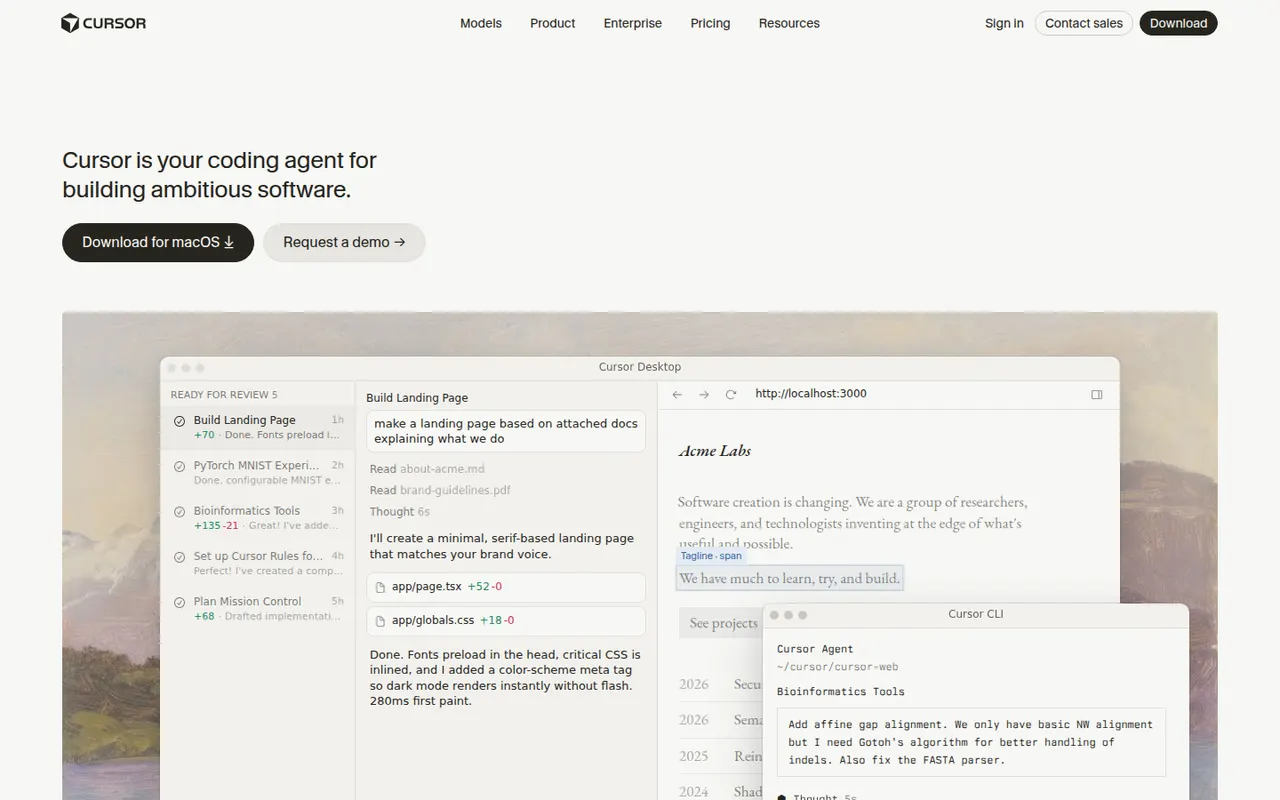
Cursor is a code editor from Anysphere, forked from VS Code, with AI integrated throughout the workflow. Its Tab model predicts multi-line edits, chat understands the whole codebase, and agent mode plans and applies changes across files while running terminal commands. Background agents can also work on tasks in the cloud. It stays compatible with VS Code extensions, themes and keybindings, and has a free Hobby plan.
- features
- 5
- alternatives
- 12
- platforms
- 3
- Updated
- Oct 12, 2026
Features
Our take
Pros
- Tab completion predicts multi-line edits as you type
- Agent mode applies changes across files and runs commands
- Keeps VS Code extensions, themes and keybindings
Cons
- Request limits and usage-based billing can be confusing
- As a VS Code fork, it can lag behind upstream updates
- The free Hobby plan is quickly limiting for daily work
Editorial assessment by the Alternatives.tools team, based on what the product is known for. Not a user review.
Best Cursor alternatives
See all 12 alternatives WindsurfFreemium
Agentic AI code editor, formerly Codeium, built around the Cascade agent
 GitHub CopilotFreemium
AI pair programmer in your editor, your terminal and on GitHub
 Claude CodePaid
Anthropic's agentic coding tool for the terminal, the IDE and the web
 Visual Studio CodeFreeOpen source
Free, extensible code editor from Microsoft for most languages
193.6Kstars OpenAI CodexPaid
OpenAI's coding agent for the cloud, the terminal and your IDE
 TabnineFree trial
Privacy-focused AI code assistant that can run in your own environment
User reviews
No reviews yet. Be the first to share your experience with Cursor.